🚀 Quick Links
GitHub Repository: parkside-notifier source code
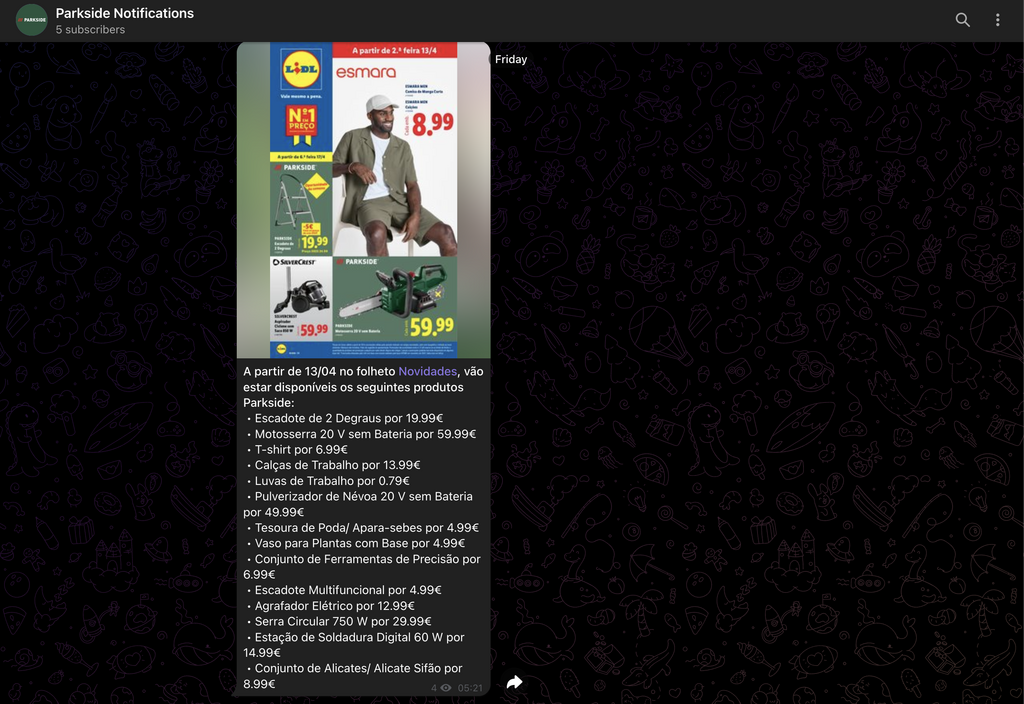
Telegram Channel: @parksideNotifications channel
Apart from software development, I spend a lot of my free time on DIY projects. Raised by a father who is an electrician and a handyman, I grew up with the mindset that, through trial and error and a bit of experience, you can do a lot of things yourself-and save a lot of money in the process.
So, over the years, I’ve collected a lot of different tools, and the ones with the best price-to-quality ratio are Parkside. In Portugal, Lidl updates its catalog of Parkside products weekly (some weeks there might be no products at all), and it can take months before a specific item returns to the shelves.
Architecture
I wanted to learn Golang and explore the OpenAI API, and this project was a perfect fit. I could create a crawler in Go to fetch the weekly flyers, feed the PDF to OpenAI’s vision models, and have it filter and return only the Parkside products. I had already built similar crawler bots that reported to Telegram, so that would be the easy part.
Extracting info from flyers
Since I had never used an LLM back then, I was left looking at what options I had. I could use an LLM running locally or use an API from one of the major services. Running locally was ruled out, as extracting data from images is a GPU-intensive task, and I didn’t have that kind of hardware-just a Raspberry Pi 5.
OpenAI it is! Their website is quite clear on the differences between models (Text-to-Text, Image-to-Text, etc.), their results, and their pricing. For my use case, I needed an Image-to-Text model where I could input an image/file and get back text data. They have a lot of different models for this, but the cheapest one that didn’t compromise on results was GPT-4o mini.
After some tests, I tweaked the prompt to fit my needs: for each PDF, return only the Parkside products and their prices in a JSON array. With this prompt, I could then iterate over the array and send the data in a formatted list message.
Avoiding IP Blacklisting
The flyers change every week, so there was no need for a short polling rate. Running the crawler once a week was more than enough. However, I decided to add a second layer of logic because sometimes Lidl takes longer than a week to publish their new flyers. If I didn’t account for this, I’d end up reprocessing the same flyers and wasting unnecessary OpenAI credits.
Using an SQLite database, I save the URL of every successfully processed flyer.
The database schema is simple:
CREATE TABLE message (url TEXT UNIQUE, notified INTEGER DEFAULT 0 NOT NULL)
With this database, every time the cron job runs, it first checks if that specific flyer has already been processed.
So, in the end, the system was designed to execute the following steps every week:
Check if there is a new flyer.
If so, check the database to ensure it hasn’t been processed yet.
Feed the PDF URL to OpenAI and extract all Parkside products and their prices.
Send the gathered data to the Telegram channel.
Save the processed PDF URL in the SQLite database.